The Short Answer
Broadcom ended new perpetual licence sales and perpetual Support and Subscription renewals, completed its transition to subscription or term offers, and simplified the VMware portfolio. Current VMware Cloud Foundation terms license by core with a 16-core minimum per processor. Those documented changes make early renewal planning important, but the hypervisor bill is not the only lock-in.
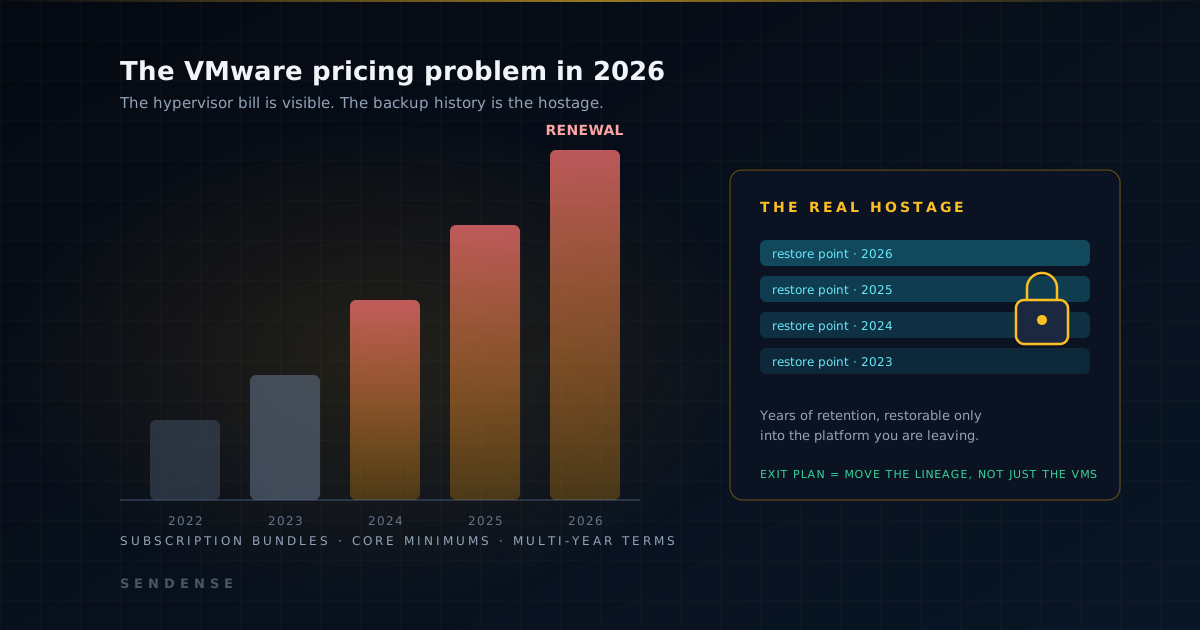
The real hostage is your backup history: years of restore points in a VMware-only format that conventional backup tools cannot restore anywhere else. An exit plan has to move the backup lineage, not just the VMs.
What actually changed
Broadcom's own announcements and current product terms document three changes that materially affect renewal planning:
- New perpetual sales and SnS renewals ended. Broadcom stopped selling new perpetual licences and renewals of Support and Subscription for perpetual products. Broadcom also says customers may continue using perpetual licences they already purchased, so an existing perpetual entitlement should not be described as having disappeared.
- Products became bundles. Point products were folded into larger suites. If you ran vSphere and nothing else, the entry ticket now includes components you never deployed — priced in.
- Core minimums set the floor. Licensing is per core with minimum counts per CPU. Small hosts pay for cores they do not have; the floor, not your hardware, sizes the bill.
Public product terms do not establish any customer's price increase. The defensible comparison is your own renewal quote, estate inventory, contract terms and exit cost. Get the quote early enough to test alternatives rather than relying on industry anecdotes as a budget.
Why the renewal maths gets worse, not better
A short decision window constrains practical alternatives. If the first realistic exit plan begins only a few months before the contract lapses, there may not be time to validate applications, synchronize data and stage a controlled cutover. Every renewal completed without a tested alternative also resets the optionality clock: the skills, tooling and platform decisions needed for an exit remain deferred until the next commercial deadline.
The organisations that negotiate well do the opposite: they build a credible, tested exit path while they still intend to renew. Sometimes the exit gets exercised; more often the credible threat of it changes the quote.
The part nobody prices in: your backup history
Retention obligations don't reset because you migrated
Compliance requirements and internal policy define how far back each organisation must be able to restore. Those obligations attach to the data, not the hypervisor. Migrating a VM does not by itself remove the requirement to restore an older recovery point.
The zombie cluster
Conventional backup products store recovery points in formats restorable only into the platform that produced them. That can leave an exit plan with a quiet appendix: keep a minimal vSphere restore target operational, patched and supported for the retention period, with whatever entitlement the governing agreement requires. The cost and risk of that restore dependency belong in the exit comparison.
Why "restore then convert" fails at audit time
The workaround usually proposed is to restore old points into VMware and convert them on demand. At audit or incident time, that means a multi-hour, multi-tool pipeline — restore, convert, boot, hope — executed under the worst possible conditions, dependent on infrastructure you were trying to switch off. A recovery capability you cannot rehearse cheaply is not a capability; it is a story.
What backup-lineage portability looks like
The structural fix is to take the restore points out of the hypervisor's format entirely. When recovery points live in a platform-neutral repository and the restore path can convert on the way out, the question "can we still restore the old VMware backups?" stops depending on VMware existing. Yesterday's VMware backup restores onto CloudStack tomorrow — same lineage, same retention clock, no zombie cluster. This is precisely how Sendense treats backup history across platforms: the history travels with the workload, and the destination platform inherits protection on day one.
Sequencing the exit
None of this argues for a panicked migration. It argues for sequencing: prove restore portability with a controlled pilot, replicate a workload group second, and only then put a date against the estate — before the renewal deadline removes the planning margin. We maintain a full phase-by-phase checklist in the VMware exit solution, and the engineering-side pitfalls are covered in how to configure VMware-to-CloudStack replication with Sendense.
Primary sources
The licensing statements above are based on Broadcom's own announcement and published product terms, not secondary reports or estimated customer price multiples.
- Broadcom: VMware portfolio and licensing model changes
- VMware Cloud Foundation Specific Program Documentation, November 2025
FAQ
Why did VMware costs rise so sharply after the Broadcom acquisition?
Broadcom ended new perpetual licence sales and perpetual Support and Subscription renewals, moved current offers to subscription or term licensing, and simplified the portfolio. Current VMware Cloud Foundation terms use per-core licensing with a minimum of 16 cores per processor. Existing perpetual licences remain usable; exact renewal terms and costs depend on each customer's agreement and quote.
Can I keep restoring old VMware backups after migrating away?
Only if something can read them. Conventional backup formats restore only into the platform they came from, which forces a choice: keep a minimal vSphere environment alive as a restore target, or store recovery points in a platform-neutral format that can restore to the new platform. The second option is what makes a clean exit possible.
Is migrating off VMware cheaper than renewing?
It depends on the renewal quote, the estate size and the migration cost — which is why the honest first step is the maths, not the migration. What consistently changes the equation is the backup question: if exit requires keeping licensed VMware infrastructure alive for years of retention, the exit business case quietly erodes. Lineage portability removes that line item.
What should I do before my next VMware renewal?
Three things: get the renewal quote early so the comparison is real; inventory which workloads could run on an alternative platform; and test-restore a current VMware backup onto that platform. The third step is the one most teams skip, and it is the one that converts an exit from a slide deck into an option you can actually exercise.